 F-Annote
Annotate. Train.
Deploy.
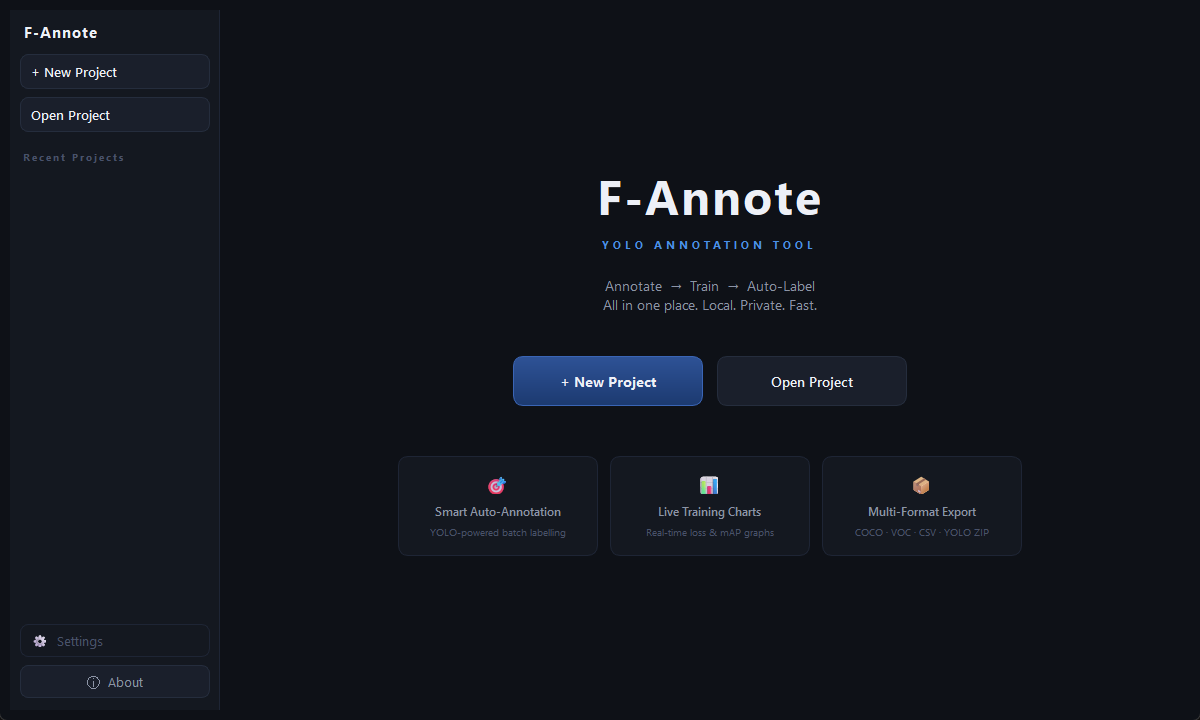
F-Annote is an all-in-one YOLO annotation and training pipeline for Windows. Draw bounding boxes, train custom models, and export GPU-ready inference engines - no command line, no setup hell.
Features
Everything you need in one app
No juggling between Label Studio, Roboflow, and a training script. F-Annote handles the full pipeline from raw images to a deployed model.
Keyboard-first annotation
Draw bounding boxes, switch classes with number keys, undo/redo, trash images - all without touching the mouse. Built for speed when you have thousands of images to label.
Auto-annotate - custom or COCO pretrained
Run your trained YOLO model on a single image or the entire dataset in one click. No model yet? Use a COCO pretrained base model (yolov8n/yolo11n) and map your classes to COCO categories - zero training required to get started.
Train YOLOv8 & YOLO11 models
Full training pipeline with real-time loss charts, epoch/batch progress, and 30+ advanced hyperparameters. No Python knowledge required.
TensorRT GPU acceleration
Export your trained model to a TensorRT .engine file for 2–5× faster inference on NVIDIA GPUs. Cached metadata means instant reuse.
Live screen capture & inference
Capture any window or region of your screen and run real-time YOLO detection on the live feed. The capture toggle is a global hotkey - press P to start/stop even while your game or target app is in focus.
Flexible dataset export
Export to COCO JSON, Pascal VOC XML, flat CSV, or YOLO ZIP with a single click. Compatible with every major training framework.
How it works
From raw images to a deployed model
Three steps. No terminal. No config files. No dependencies to install.
Create a project & import images
Start a new project, define your class names (e.g. "Car", "Pedestrian"), and drop your images into the dataset folder. F-Annote organises everything automatically.
Supports JPG, PNG, BMP, WebP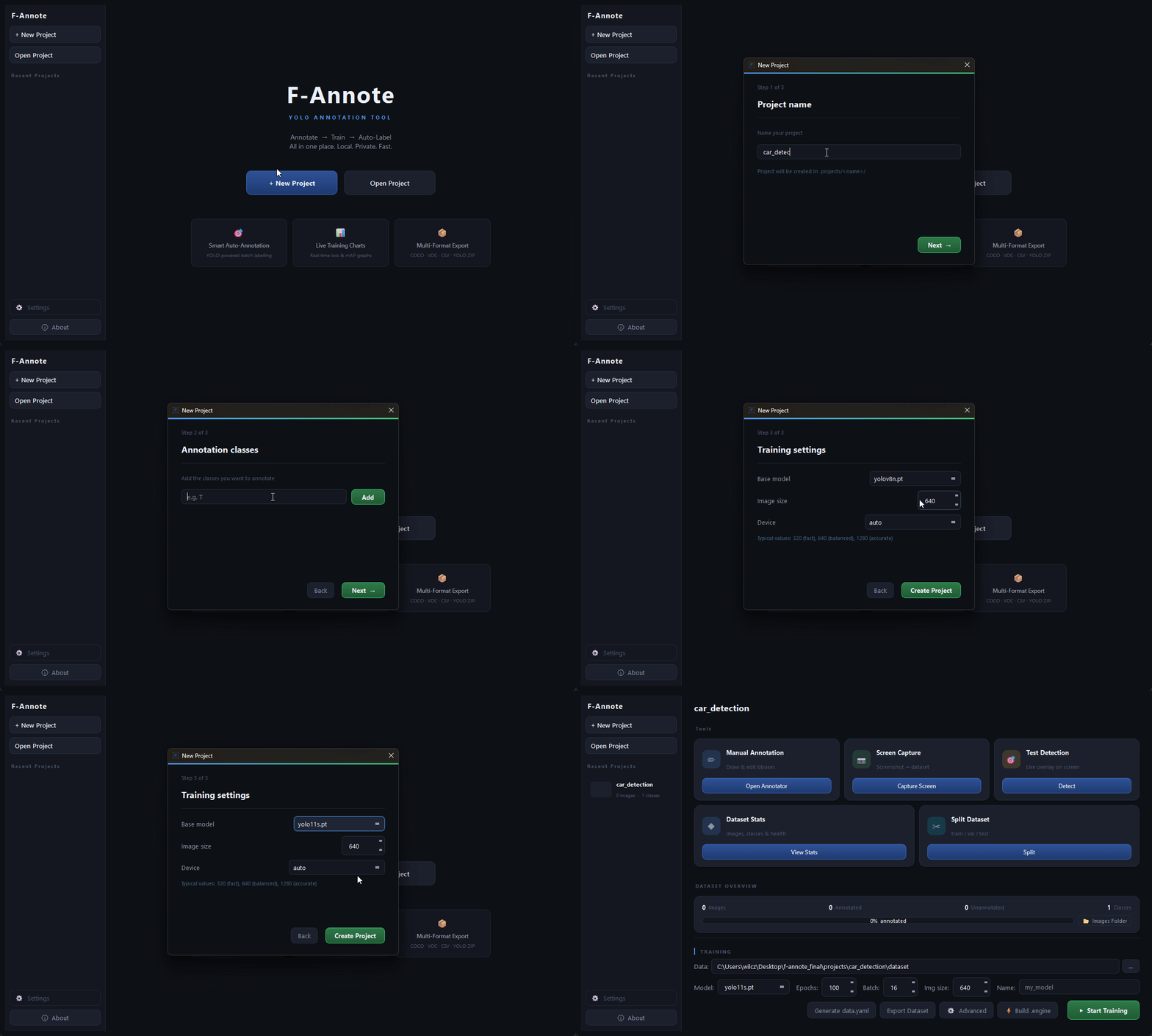
Annotate manually or auto-annotate
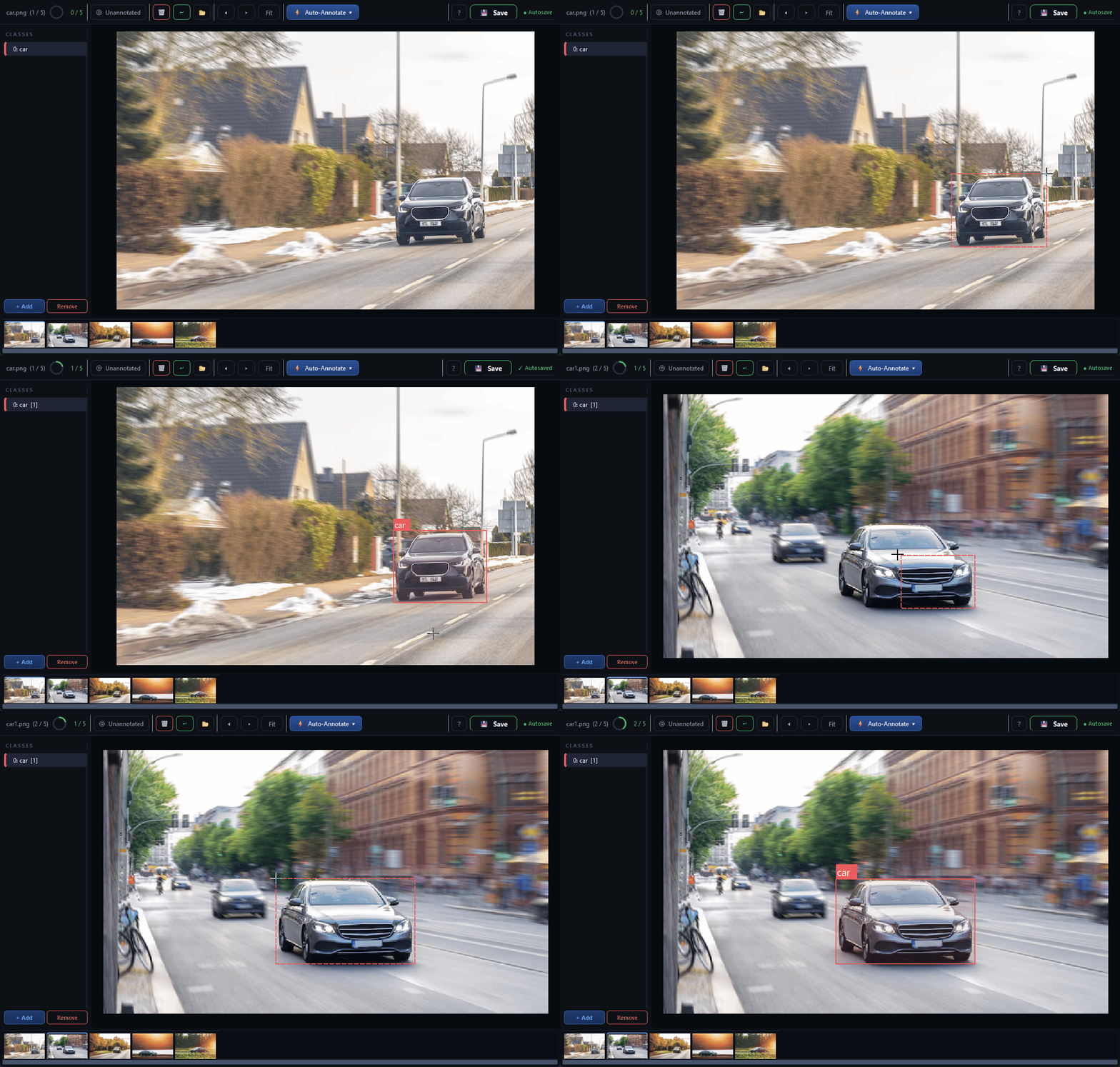
Draw bounding boxes with click-drag. Switch classes with number keys. Use an existing YOLO model to auto-label your images in bulk - then just fix the mistakes.
Undo/redo · unannotated filter · keyboard shortcuts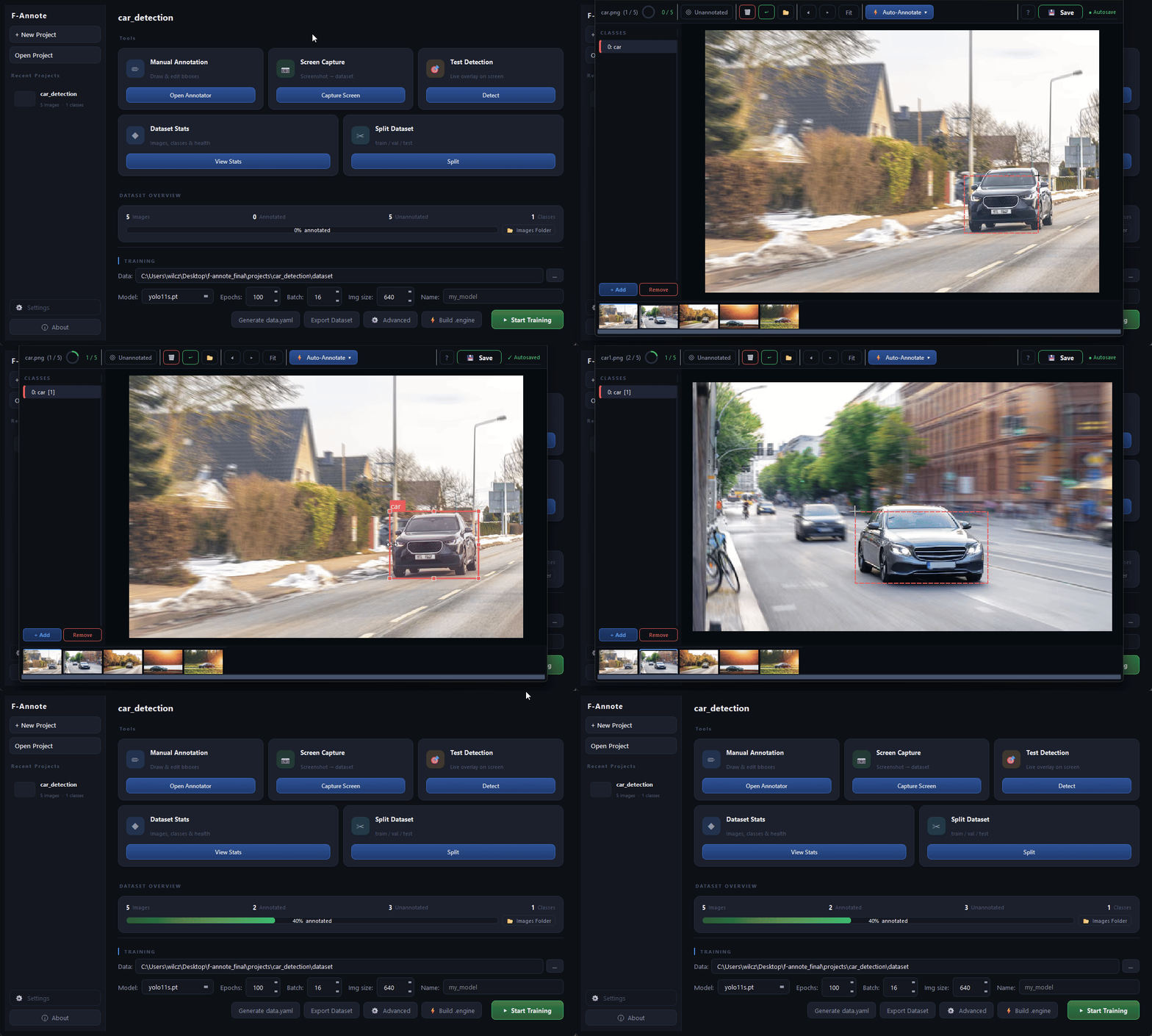
Train, export & deploy
Hit Train. Watch the live loss chart. When it's done, export your model as a .pt file or build a TensorRT .engine for maximum GPU performance.
YOLOv8 / YOLO11 · TensorRT · COCO · VOC · YOLO ZIP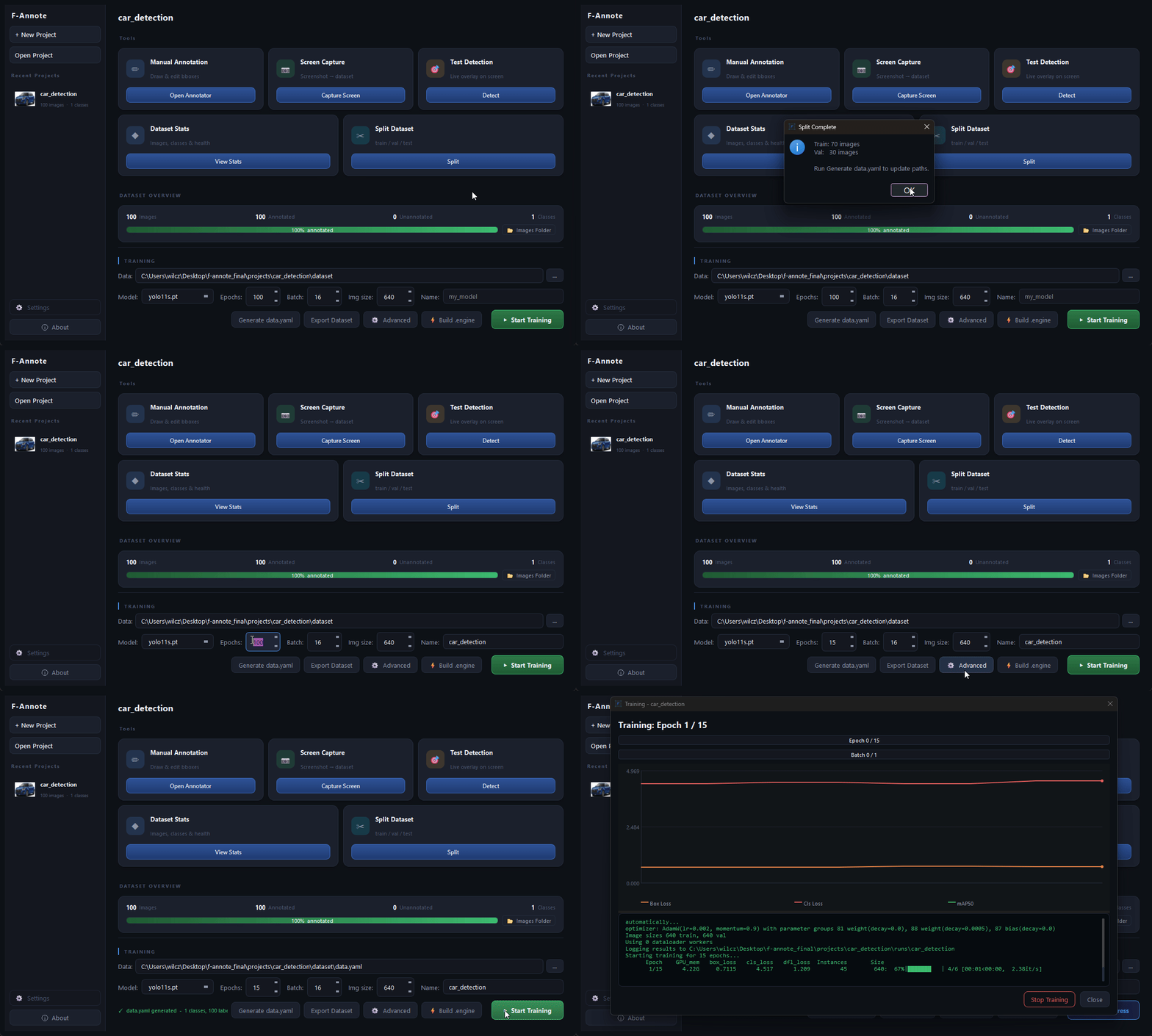
Use cases
Who is F-Annote for?
Wherever you need a custom YOLO model, F-Annote gets you from raw images to a deployed detector fast.
Game AI
Annotate in-game frames, train a detection model, and test it live against your game window using F-Annote's screen capture - all without leaving the app.
Security & surveillance
Build custom person, vehicle, or object detectors for IP cameras. Export to TensorRT for edge GPU deployment with maximum inference speed.
Robotics & industrial vision
Label images from robot cameras or production lines. Train models that detect defects, parts, or positions - export COCO or YOLO format for your pipeline.
Research & custom datasets
Build clean, reproducible datasets with full control over splits and export format. No cloud upload, no data leaving your machine.
Screenshots
See the interface
Dark, minimal, keyboard-driven. Built to stay out of your way.
Export formats
Fits into your existing pipeline
Export your dataset and models in the format your stack expects.
YOLO ZIP
images/ + labels/ + classes.txt - ready to drop into any YOLO trainer
COCO JSON
Standard COCO format with bbox [x, y, w, h] - compatible with detectron2, MMDetection, and more
Pascal VOC XML
One .xml per image - compatible with older pipelines and many annotation validators
Flat CSV
filename, x1, y1, x2, y2, class_name - for custom scripts and data analysis
.pt (PyTorch)
Trained YOLOv8 / YOLO11 model weights - use anywhere Ultralytics is supported
.engine (TensorRT)
GPU-compiled inference engine for NVIDIA hardware - 2–5× faster than .pt
Pricing
One price. No subscriptions.
Pay once, use forever. All future v2.x updates included.
- ✓F-Annote.exe - single folder, no installer needed
- ✓YOLOv8 & YOLO11 annotation + training
- ✓Auto-annotate (single image & batch)
- ✓TensorRT .engine export
- ✓Live screen capture + real-time inference
- ✓COCO · VOC · CSV · YOLO ZIP export
- ✓All future v2.x updates
- ✓Email support
Secure checkout via Gumroad · Instant download after payment
System requirements
💡 F-Annote ships as a self-contained folder (~4.5 GB download, ~6.7 GB unzipped). Just download, unzip, and run F-Annote.exe. No Python, no pip, no setup.
Updates
What's happening
News, upcoming features, and announcements from development.
Video tutorials - full walkthrough series
I'm working on in-depth video tutorials covering every part of the app: annotation workflow, all training hyperparameters explained, COCO base model auto-annotation, TensorRT engine builds, and live inference. The goal is to walk through each screen, every setting, and explain what it does and when to use it.
F-Annote V2 is live
Full annotation + training pipeline with YOLO v8 & v11, COCO pretrained base model auto-annotation, TensorRT engine export, live screen capture, and Gumroad license activation. Ships as a self-contained folder - no Python, no pip, no setup.
How it compares
Why choose F-Annote?
Other tools make you spin up servers, pay monthly, or switch apps to train. F-Annote does it all in one .exe.
| Feature | F-Annote | Label Studio | Roboflow | CVAT |
|---|---|---|---|---|
| Runs fully offline | ✓ | - | - | - |
| No server / Docker required | ✓ | - | - | - |
| One-time price | ✓ | ✓ | - | ✓ |
| YOLO training built-in | ✓ | - | ✓ | - |
| TensorRT .engine export | ✓ | - | - | - |
| Live screen capture inference | ✓ | - | - | - |
| Auto-annotate with own model | ✓ | ✓ | ✓ | ✓ |
| Zero setup - just run .exe | ✓ | - | - | - |
| COCO / VOC / CSV export | ✓ | ✓ | ✓ | ✓ |
The creator
Built by one developer

Hey, I'm Dominik - a developer passionate about computer vision and machine learning. I built F-Annote because I got tired of the friction in the standard YOLO workflow: juggling a labelling tool, a training script, a separate export step, and a TensorRT converter - none of them talking to each other.
F-Annote is my attempt to collapse all of that into a single desktop app that feels fast, stays out of your way, and just works. Every feature was built because I personally needed it - from the keyboard-first annotation canvas to the live screen capture for testing game AI.
This is a solo project maintained in my spare time. If you find it useful, buying a copy is the best way to support continued development.
My journey
From a rough prototype to a real tool
F-Annote didn't start as the app you see today. Here's the honest story of how it evolved - including how I built it.
The first version
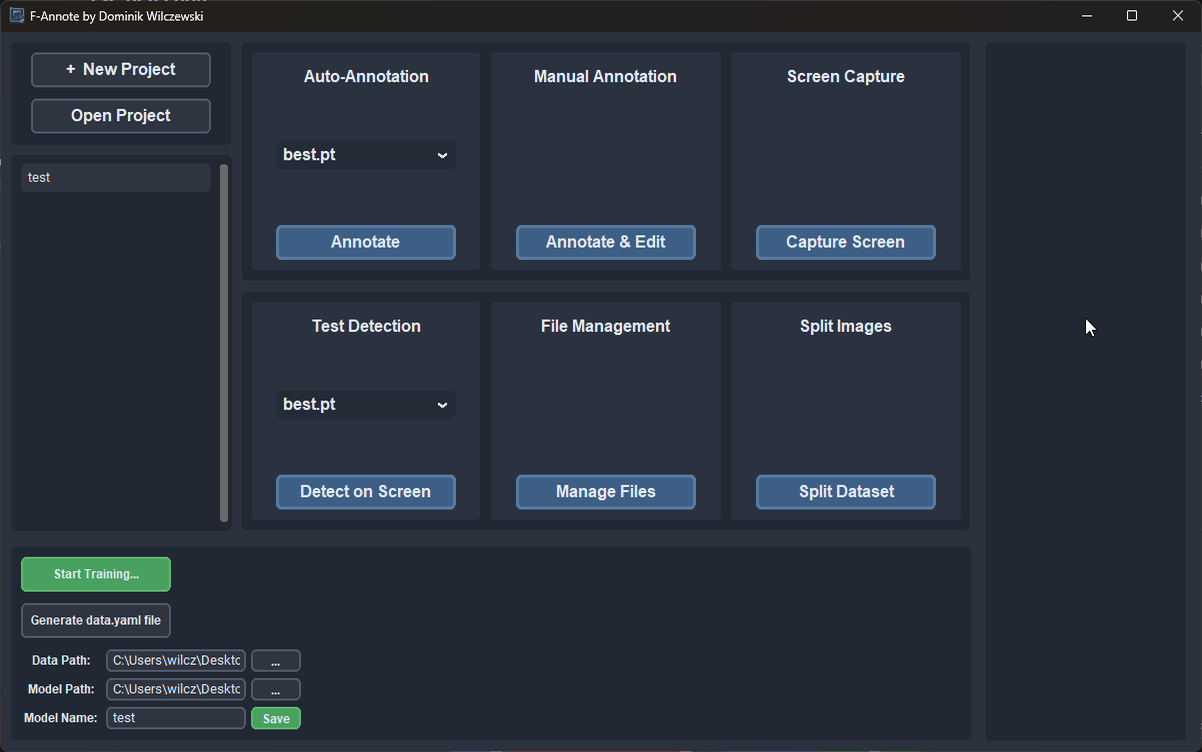
Where it startedVersion 1 was a script I hacked together to solve my own problem - I needed a way to label images for a personal YOLO project and didn't want to set up Label Studio. It was scrappy, had no undo, no auto-annotation, and could barely handle more than a hundred images without slowing down. But it worked, and it taught me exactly what was missing.
- ✗ Basic bounding box drawing
- ✗ Manual class assignment
- ✗ Simple YOLO label export
- ✗ Single-window UI
- ✗ No undo system
- ✗ No auto-annotation
- ✗ No training pipeline
- ✗ No TensorRT support
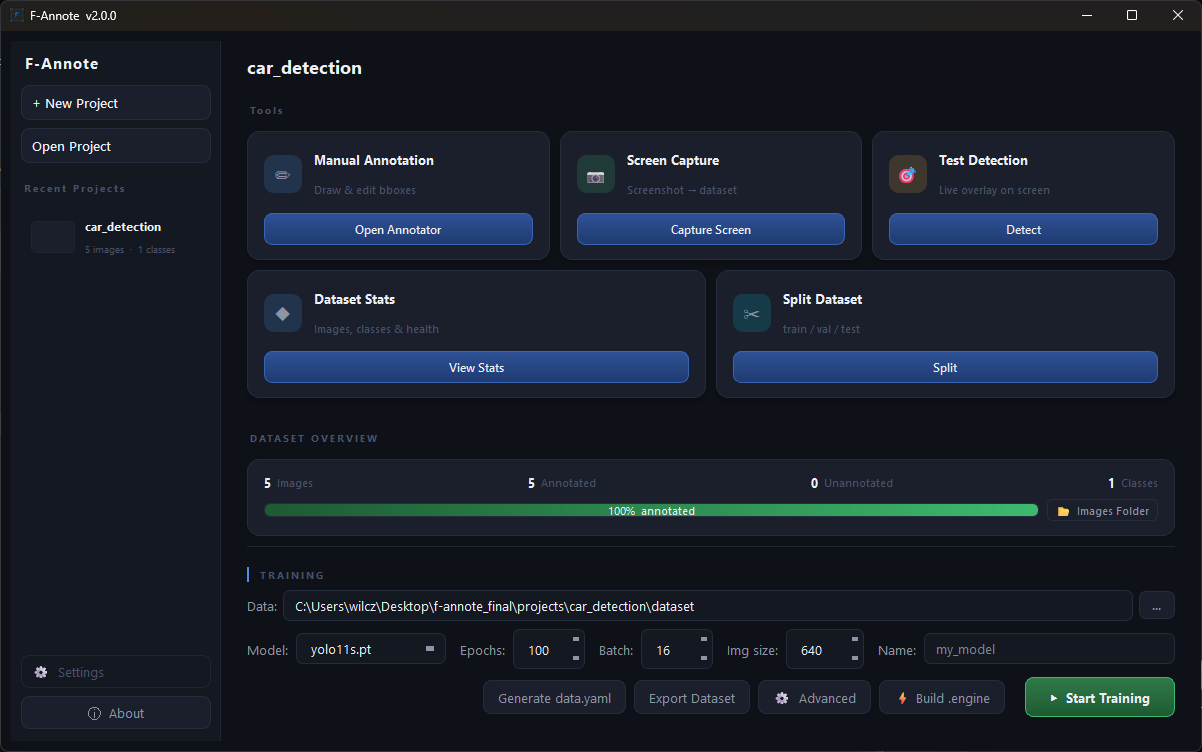
Drag to compare
Version 2 - a complete rewrite
What you're buyingV2 is a ground-up rewrite with a proper architecture - modular files, a threading model that keeps the UI responsive, a canvas that handles zoom/pan/undo correctly, and a full training pipeline wired together. Everything V1 couldn't do is now a core feature.
- ✓ Keyboard-first annotation workflow
- ✓ 30-step undo/redo stack
- ✓ Auto-annotate (single + batch)
- ✓ Full YOLO training pipeline with live charts
- ✓ TensorRT .engine export & caching
- ✓ Live screen capture + real-time inference
- ✓ 4 export formats (YOLO, COCO, VOC, CSV)
- ✓ Unannotated image filter
- ✓ Animated splash, dark theme, toast notifications
- ✓ PyInstaller - single .exe, no setup
A note on AI-assisted development
I want to be transparent: I used AI (Claude) as a coding assistant while building F-Annote V2. It helped me work through complex UI problems, debug threading issues, and write boilerplate faster than I could alone.
That said - every feature, every design decision, and every line of logic was thought through, reviewed, and tested by me. AI was a tool, not the author. The same way a developer uses Stack Overflow or documentation, I used AI to move faster and learn along the way.
I believe in being upfront about this. The value of F-Annote is in what it does for you, and that works regardless of how the code was written.
FAQ
Common questions
Contact
Get in touch
Questions before buying? Found a bug? Just want to say hi? Send a message.